
How to Choose a Hardware Wallet for Cryptocurrency Without the Hassle
What a Hardware Wallet Is
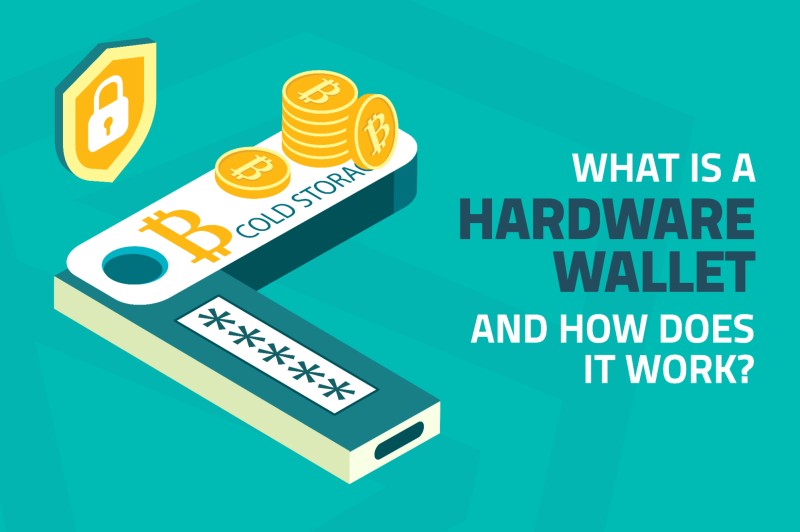
A hardware wallet for cryptocurrency is a small physical device that keeps your private keys offline. The source material describes it as a gadget that isolates keys from the internet. Even if your computer gets infected, the keys stay safe inside the device. You plug it in just to approve a transaction, then unplug it. That is the basic idea behind a crypto hardware wallet .
How Keys Work in Crypto
A cryptocurrency wallet does not store coins themselves. The coins live on the blockchain. A wallet holds the public and private keys that prove you own the assets and let you authorize moves. A public key is like an account number you can share. A private key is like a password or signature. Anyone who has the private key can move the assets. That is why keeping the private key secret is the whole game.
Why Self-Custody Matters
Bitcoin removes banks from the picture, but it also puts the security burden on you. Early Bitcoin wallets sat on computer hard drives and cloud storage. Corrupted drives, hacks, scams, and user errors caused people to lose Bitcoin permanently. The blockchain saying captures it: "Not your keys, not your coins." A cryptocurrency wallet hardware setup is meant to make direct self-custody practical. You control the device and the keys instead of trusting an exchange.
"Security is a process, not a product." - Bruce Schneier, quoted in Trail of Bits guidance
Several exchange hacks illustrate why third-party custody is risky. The Mt. Gox breach saw over 850,000 Bitcoin stolen. Coincheck lost more than $500 million in NEM. QuadrigaCX lost $190 million in cash and crypto. A Shieldfolio article reported the Liquid exchange hack at $97 million. A BitGo article cited Chainalysis reporting upward of $2.2 billion stolen, with compromised private keys accounting for nearly half of thefts.
How a Hardware Wallet Creates and Uses Keys
A hardware wallet follows a specific transaction process. The owner initializes the device and creates a recovery phrase on the device itself. A computer or phone builds an unsigned transaction and sends it to the hardware wallet. The device shows the details for verification. The owner confirms with a button, touchscreen, or PIN. The wallet signs the transaction internally with the private key. Only the signed transaction goes back to the host. The host broadcasts it to the blockchain. The private key never leaves the hardware wallet during this flow.
Transaction steps
- Owner initializes device and creates a recovery phrase on-device
- Host device creates an unsigned transaction
- Transaction details sent to the hardware wallet
- Device displays info for verification
- Owner confirms with physical input (button, touchscreen, PIN)
- Device signs internally with the private key
- Signed transaction returns to host
- Host broadcasts to the blockchain network
The wallet may connect to the internet through the host while the key environment stays isolated. The private key is not copied into the host's memory, browser, or operating system. Most connected hardware wallets communicate with an online interface, but the signing operation stays inside the device. A compromised computer generally cannot read the private key from a well-designed hardware wallet, but it may lie about the destination or amount. That is why the device screen and physical confirmation buttons are part of the security model, not optional extras.
Hot Wallets vs Cold Storage
The main difference between hot and cold wallets is internet connectivity. Hot wallets stay connected to the internet. They include mobile apps, desktop apps, browser extensions, and custodial exchange accounts. Their keys are exposed to the online world, so they are faster for daily use but more exposed to malware, phishing, and remote attacks. Examples include MetaMask for Ethereum, Phantom for Solana, Blue Wallet for Bitcoin, Trust Wallet, Coinbase Wallet, and exchange-based hot wallets.
Hot wallet examples
- MetaMask - Ethereum ecosystem
- Phantom - Solana blockchain
- Blue Wallet - Bitcoin
- Trust Wallet
- Coinbase Wallet
- Exchange-based hot wallets
Cold wallets keep keys offline. They are for long-term or high-value storage and generally offer stronger protection from online threats. They are less convenient for frequent transactions and can still be physically lost or stolen. A cold crypto wallet can be restored from a properly backed-up recovery phrase. Cold storage also comes in forms like hardware wallets, air-gapped systems, paper records, and institutionally managed offline custody. A cold storage cryptocurrency setup is the go-to for holdings you do not plan to touch daily.
A common comparison: hot wallets are for daily activity, cold storage is for long-term holdings. Many users keep a small operational balance online and the bulk in cold storage.
The source material gives a practical comparison. Hot wallets are used for frequent transactions, stay connected, are easy and fast for daily activity, are usually free, and expose keys to online threats. Cold wallets are for long-term storage and high-value holdings, stay offline except when needed, require extra access steps, typically cost $50 to $200, and are safer from online attacks but still vulnerable to physical loss or theft.
Security Benefits of Offline Key Storage
Offline key generation and storage offer several distinct benefits. Protection from online theft: private keys stay isolated from browsers, web apps, general-purpose operating systems, and internet-facing services. Malware or keyloggers on a host computer may be unable to extract the key because the key is never released to the host. Protection from malicious exchanges: a hardware wallet removes the need to leave long-term assets in an exchange account controlled by a third party. It does not remove every exchange risk while funds remain on the exchange, because an exchange can still be hacked, frozen, shut down, or mismanaged.
Independent ownership: the owner controls the keys without relying on a bank, exchange, or online custodian. No third party can freeze the wallet or recover its assets solely by changing an account status, subject to the owner's own security practices and the underlying protocol. Verifiable random generation: a hardware wallet can generate a recovery phrase with an isolated, cryptographically secure random number generator. Open-source hardware makes it possible to inspect how generation, storage, PIN handling, and signing are implemented. Human-readable backups: a 12- or 24-word recovery phrase is generally easier to copy and double-check than a long private key like a 64-character alphanumeric string.
Reduced unauthorized signing: the owner can examine and physically confirm transaction info before the device signs it. This creates a final barrier between transaction data prepared by an online host and a valid blockchain signature. Account authentication: Trezor devices support FIDO2, a strong form of two-factor authentication. In Trezor's description, FIDO2 uses the device and its seed-based credentials rather than a shared secret. A Model T touchscreen can display the identity of the service requesting authentication. Assets and identity credentials can be protected by the same physical device.
Hardware Wallet Limits
Hardware wallets are not perfect. Cost is the first barrier: a hardware wallet commonly costs $50 to $200, with premium models costing more. Some users may also pay shipping or import taxes. The device cost should be weighed against the amount being protected.
Hardware wallet limits
- Cost - $50 to $200 typical, premium models more
- Learning curve - owner must understand recovery phrases, derivation standards, transaction destinations, networks, tokens, fees, device confirmations, and backups
- Physical inconvenience - most need a separate computer, phone, or tablet to construct transactions
- Full responsibility - self-custody removes the option of asking an exchange or password-reset service to restore access
- Physical loss and damage - can be stolen, water-damaged, burned, broken, or misplaced
- Seed-phrase mistakes - a single missing word, wrong order, transcription error, or damaged backup can prevent recovery
- Host-device risk - private key may stay isolated while the host app is compromised
- Limited universal compatibility - no wallet supports every cryptocurrency, token, network, OS, interface, and feature
- Conspicuous design - some look like USB drives and are immediately recognizable
- Frequent-trading inconvenience - day traders making many transactions may find hardware approval slow for small amounts
One Enjin comparison summarized the trade-off as the inability to maximize security, low cost, and convenience simultaneously. Hardware wallets put the strongest emphasis on security and self-custody, while also introducing physical devices, backups, learning, and transaction steps.
How to Choose a Hardware Wallet
Choosing the best crypto hard wallets comes down to several criteria. Currency and token support: the wallet must support every coin, token, and network you expect to use. Bitcoin, Ethereum, and ERC-20 support may be common, but compatibility is not universal. A wallet that supports one asset does not necessarily support its test networks, staking functions, NFT standards, bridges, or layer-2 networks. ColdCard was given as a Bitcoin-only example. Ledger and Trezor support many assets, but the lists can differ by model and software version.
Security architecture matters. Ask: does the device generate keys internally? Does it have a dedicated secure element? Can the owner verify device integrity? Is the hardware or firmware open source? Has the device or firmware been independently audited? Has the manufacturer published known vulnerabilities? Does the manufacturer run a bug-bounty program? Are firmware updates authenticated? Does the device require physical transaction confirmation? Does the interface display the complete transaction? Are PIN attempts protected against brute force? Is there a reliable update process? Can the manufacturer demonstrate a tamper-evident supply chain?
Selection criteria
- Currency and token support - check every coin, token, network you need
- Security architecture - key generation, secure element, audits, open source
- OS and platform compatibility - must work with your computer, phone, tablet
- User interface - legible display, understandable menus and recovery process
- Independent reviews and track record - setup problems, interface defects, support quality
- Size and appearance - portability, discretion, screen size, controls
- Price and total cost - typical $50 to $200, plus shipping, replacements, accessories
- Recovery and compatibility - BIP39 standard, Shamir backup, passphrase support
- Manufacturer support - ongoing firmware updates, security research, clear instructions
- Privacy - some devices emphasize transaction privacy more than others
Where to Buy and Check Authenticity
The strongest buying guidance is to get a new, unopened device directly from the manufacturer. One overview allows direct purchases or authorized resellers, while the more detailed Trail of Bits guidance prefers the manufacturer. Buying from an unknown marketplace can introduce counterfeits, substituted devices, malicious firmware, or recovery scams. A direct purchase reduces the number of parties handling the device.
Upon delivery, inspect for factory seals, broken or altered packaging, scratches, cuts, or other signs of tampering, unexpected labels or setup materials, a device that appears already initialized, or recovery words supplied before you generate new words on-device. If a seal appears damaged or the device behaves unexpectedly, do not use it and contact the manufacturer.
A reported eBay scheme offered genuine, unopened devices but attempted to redirect buyers through a malicious recovery process involving preconfigured recovery words. The physical product did not have to be altered for the scam to succeed - the instructions supplied with it could still compromise the wallet.
Ten Rules for Secure Hardware-Wallet Use
A November 27, 2018 Trail of Bits guide by Mike Myers was commissioned by the Web3 Foundation to review the risks of storing cryptocurrency. Its recommendations apply whether you hold a few Satoshis or a substantial sum.
Secure use rules
- Purchase from a trusted source, preferably directly from the vendor, new and unopened
- Never use a pre-initialized hardware wallet - only you should initialize the device
- Never use a pre-selected recovery phrase - use only words generated on-device
- Prefer a device capable of attesting to its integrity
- Test the recovery phrase before you need it - use a spare wallet to confirm
- Protect recovery words separately and to the same degree as the hardware wallet
- Verify the software that communicates with the hardware wallet
- Consider a high-assurance workstation for high-value custody
- Consider an M-of-N multi-signature wallet with independently stored devices
- Manually verify the creation of a new multi-signature address
The recovery words are effectively the secret key. Whoever knows them can restore the wallet, observe activity, sign transactions, and take all associated assets. So rules 2 and 3 are not optional. A pre-initialized wallet may already have a seed controlled by the seller, distributor, attacker, or another party. Anyone possessing that seed can watch the account and take its cryptocurrency. In December 2017, a reseller reportedly placed a counterfeit scratch-off card in each package. The card revealed a list of words and instructed the buyer to enter them during setup. This converted a genuine device into a wallet controlled by anyone who knew the preconfigured words.
Recovery, Loss, and Physical Protection
A correctly recorded recovery phrase can restore the wallet's accounts and keys on another compatible hardware wallet. The words must be recorded exactly, in the correct order, without omitted or substituted terms. The recovery phrase functions as the primary backup and gives anyone who possesses it the ability to restore and control the associated accounts.
A lost or damaged hardware wallet does not necessarily mean lost cryptocurrency if the owner has a valid recovery phrase and follows the vendor's recovery process. Losing both the device and the recovery phrase can make the assets permanently inaccessible because there may be no password-reset process or customer-support route that can reproduce a private key. The device PIN is not enough to protect funds if an attacker physically steals both the wallet and its recovery phrase. The recovery phrase must be protected as carefully as the device.
The recovery phrase is the master key. Write it by hand on archival-quality acid-free paper. Laminate if appropriate. Place in an opaque, tamper-evident sealed envelope. Store separately from the hardware wallet. Restrict access.
Some basic security practices apply to every wallet: back up the recovery phrase and verify the backup works; do not keep large long-term balances on exchanges; use multi-signature arrangements where the value or custody arrangement warrants them; verify addresses, amounts, and transaction types before confirming; treat phishing as a major attack vector; restrict access to institutional systems and require more than one person for large withdrawals; keep the device and its backup in separate locations when physical theft is a concern.
Hardware Wallet Models and Product Considerations
Trezor is identified as an early pioneer in hardware wallets and is associated with open-source hardware and software. Trezor One is a basic model, while the Model T has a larger color touchscreen that can make transaction info easier to read. Model T also supports touchscreen-based FIDO2 authentication. A comparison said Trezor supports several assets that Ledger does not, while other assets may have the opposite support arrangement. Ledger devices resemble USB sticks and use side buttons. The same comparison stated Ledger relied on the BOLOS operating system and had sold more than 1,000,000 wallets across more than 165 countries. Ledger's secure-element architecture isolates key operations in a dedicated chip. The Ledger Nano S Plus was described as a lower-cost option, while the Nano X adds Bluetooth and supports a wide range of assets.
ColdCard was described as highly secure and privacy-focused, given as a Bitcoin-only example. NGRAVE was also described as a privacy-focused, highly secure hardware wallet with features not always found in consumer devices. KeepKey was presented as an early hardware-wallet manufacturer with a larger display and a more premium physical design. SafePal S1 was listed as a lower-cost model offering an air-gapped signing mechanism that does not require USB, Bluetooth, or Wi-Fi for signing. Tangem was described as a credit-card-shaped cold wallet.
Model snapshot
- Trezor - open-source pioneer, Model T has color touchscreen and FIDO2
- Ledger - USB-stick design, secure element, Nano S Plus lower-cost, Nano X with Bluetooth
- ColdCard - Bitcoin-only, highly secure, privacy-focused
- NGRAVE - privacy-focused, highly secure, specialized features


Comments on “How to Choose a Hardware Wallet for Cryptocurrency Without the Hassle”
No comments yet. Be the first to share your thoughts.