How to Get a Bitcoin Wallet That Matches Your Security Needs Well
What a Bitcoin Wallet Actually Does
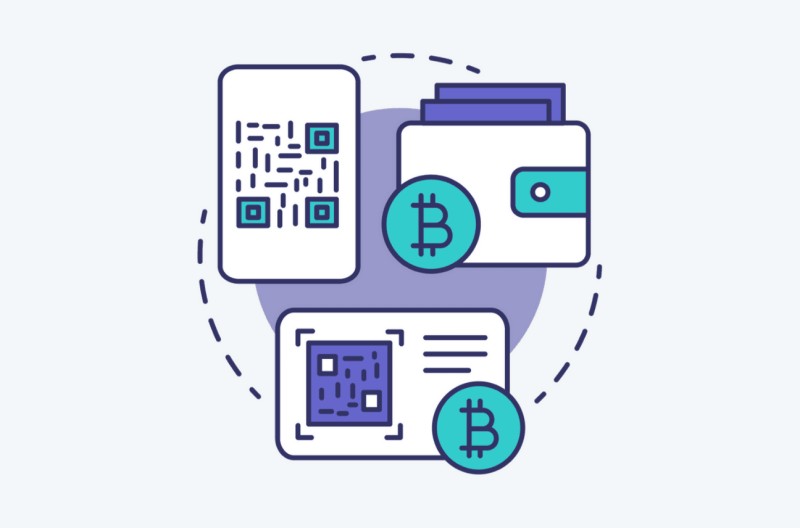
A bitcoin wallet gives you control over the private keys needed to authorize transactions. Bitcoin itself records every transaction on a public blockchain, while the wallet holds or derives the keys used to access and spend those funds. The wallet does not keep bitcoins in a bank account. Its job is to provide the keys and transaction data needed to control assets on the blockchain. If someone gets your private key, they can take control of the funds.
Public Keys, Private Keys, and Recovery Seeds
A wallet commonly involves three things. The first is a public address, which you can share to receive bitcoin. The second is a private key, which must stay secret because it lets someone sign transactions for the associated funds. The third is a recovery seed or recovery phrase, which represents the keys needed to restore the wallet if the device is lost or damaged.
A Bitcoin address is different from a secret key. An address can be shown publicly. A private key should not be photographed, uploaded to an untrusted website, typed into a sketchy page, sent through ordinary messages, or shown to another person. One guide compared revealing a private key to showing someone where a password is written. The rule: never reveal the secret key.
UTXOs and How Wallets Organize Funds
A wallet may organize bitcoin through unspent transaction outputs, called UTXOs. A UTXO is an individual unit of received bitcoin that has not yet been spent. When you make a payment, the wallet selects one or more UTXOs and returns the leftover value to a new change address controlled by the same wallet.
A wallet can show several related elements:
What a wallet display includes
- Total holdings and transaction history
- The addresses it controls, used and unused
- The derivation path used to generate an address
- The script type that determines how funds can be spent
- The individual UTXOs available for a transaction
- Change addresses for the difference between selected UTXOs and the payment
- Fee, recipient, amount, and technical data shown before signing
Wallet Categories and How They Differ
Wallets fall into several categories, and each has different strengths. A software wallet runs on a desktop, laptop, phone, or browser and connects to the Bitcoin network through a server or node. A hardware wallet keeps private-key operations inside a dedicated device. A paper wallet is a physical representation of a public address and its private key. A custodial wallet or exchange account holds assets through a provider who controls the keys.
Software Wallets and Full Nodes
Software wallets can provide detailed transaction control, multiple spending formats, advanced fee selection, coin-control features, and connection to a user-operated full node. Bitcoin Core and Bitcoin Knots were identified as examples of full-node wallets. A user-operated node can improve privacy because the wallet does not need to report its complete financial history to a wallet-provider server.
A full node requires sufficient disk space, maintenance, synchronization, and technical attention. Connecting a new wallet to a node may also require the node to rescan blockchain data.
Hardware Wallets
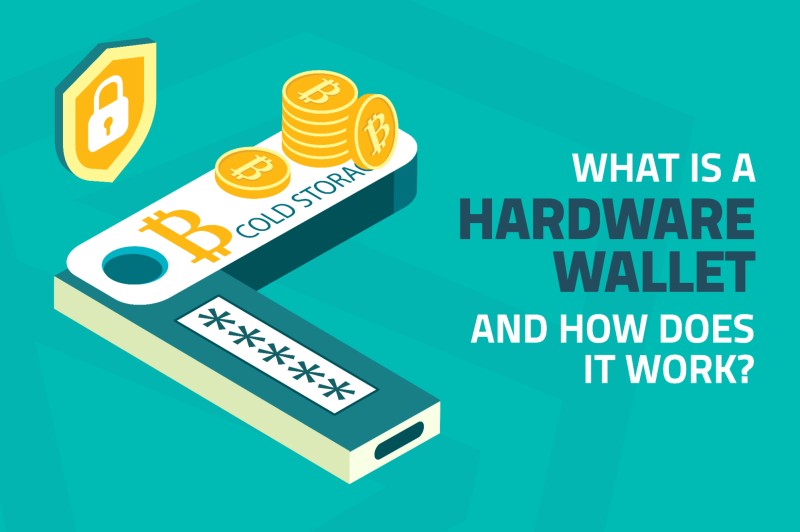
A hardware wallet keeps private-key operations within a dedicated electronic device. The computer or phone may be used to construct and display a transaction, but the hardware wallet holds or processes the private key and authorizes the transaction. Hardware-wallet designs vary in their screens, input methods, open-source status, connectivity, backup options, multisig support, and compatibility with independent wallet software.
A hardware wallet for cryptocurrency should let you verify transaction details on its own screen. Independent on-device transaction verification and the ability to resist blind signing are major security considerations. The ledger hardware wallet and BitBox02 were both described as storing private keys offline, with firmware focused narrowly on bitcoin.
Paper Wallets
A paper wallet is a physical representation of a public address and its corresponding private key. It keeps the keys away from an online computer after generation, but it has no account with a wallet provider and is primarily intended for long-term storage. A paper wallet can be inexpensive and can provide strong isolation if it is generated securely and protected from theft, fire, water, sunlight, malware, accidental observation, and loss.
The disadvantages include difficult setup, limited coin support, poor transaction convenience, physical fragility, and the need for careful backups. A 2020 comparison described paper wallets as theoretically strong but physically weak, contrasting their near-zero internet exposure with the greater durability of hardware devices.
Custodial Wallets vs Self-Custody
A custodial wallet or exchange account holds assets through a provider. The user receives an account balance while the provider controls the keys. Coinbase, Binance, and Crypto.com were listed as exchanges. MetaMask and Phantom were used as wallet-provider examples. Wallet providers could offer phone and browser access, while exchanges commonly combined wallet access with buying, selling, and trading functions.
This distinction matters when selecting a wallet because an exchange account can provide convenience while placing key custody with the provider. A self-custody wallet gives the user direct control of the private keys but also makes backup, device security, transaction verification, and recovery the user's responsibility.
Multisignature Wallets
A multisignature wallet requires signatures from more than one authorized device or key before a transaction can be broadcast. A 2-of-3 arrangement, for example, can tolerate the loss of one signer while still requiring agreement from two of the three. Sparrow Wallet was presented as compatible with multiple BitBox02 devices and other hardware-wallet vendors.
Multiple signing devices can add redundancy and protect against some physical threats. But multisig does not by itself guarantee safe transaction verification. If a compromised phone changes the destination address and a signing device approves the transaction without independently displaying the recipient and amount, the extra signer may not prevent the theft.
Factors That Distinguish Wallet Options
The available wallet material emphasizes several practical distinctions. Security depends on whether private keys are isolated, whether transaction details are independently verified, whether the device is used with malware, whether backups exist, and whether a compromised computer can alter what a user sees. Privacy depends on whether a wallet communicates with a provider-controlled server or the user's own node. Convenience includes transaction fees, address management, transaction confirmations, mobile access, QR-code use, and whether a wallet supports spending as well as storage. Technical complexity includes offline generation, node synchronization, seed backup, multisig setup, firmware updates, and the use of command-line or desktop software.
Sparrow Wallet and BitBox02 Setup
Sparrow Wallet is a free and fully open-source Bitcoin wallet created by Craig Raw. Raw had previously worked with hardware wallets and multisignature setups and was described as a longtime Bitcoin user with a strong focus on privacy. The central goal of Sparrow was financial self-sovereignty through security, privacy, and trust minimization. Sparrow's interface exposes more of the underlying Bitcoin transaction process, allowing a user to inspect addresses, UTXOs, inputs, change, fees, and script information.
Sparrow Wallet is available through sparrowwallet.com for all major platforms. The BitBox02 does not require a separate special configuration for Sparrow. The BitBoxApp is used to create the wallet and initialize the end-to-end encrypted USB communication between the BitBox02 and the computer. After setup, the BitBox02 can connect directly to Sparrow and import the existing wallet account.
The BitBoxApp must be closed while Sparrow is being used because the BitBox02 can communicate with only one software wallet at a time. This is one of those details that matters - leaving both apps open can cause connection conflicts.
Selecting a Bitcoin Network Server
A wallet usually communicates with the Bitcoin network through a backend server. A provider-operated server can learn the total amount of bitcoin held by the wallet and the wallet's past transactions. Connecting to a user-operated node reduces the need to disclose that financial history to a wallet provider.
The walkthrough identified three main connection methods. A public Electrum server with a good history of data privacy is the easiest starting option. Sparrow can also connect to a Bitcoin Core instance running on the same computer, though creating or adding a wallet can force it to rescan the blockchain, which may take additional time. A private Electrum server can be used with a user-operated Bitcoin full node. RaspiBlitz and Umbrel were given as examples of systems that can provide a Bitcoin full node and an Electrum interface.
Creating a Sparrow Wallet with a BitBox02
Sparrow opens to a main window. To create a wallet with a BitBox02, select "File / New wallet" and enter a useful wallet name. The new-wallet screen displays configuration choices, including single-signature or multisignature, script type, keystore type, and the location of the private keys. The example used a "Native Segwit" single-signature wallet. In this configuration, the private keys are generated directly on the BitBox02. They do not leave the device, and Sparrow does not learn the private keys.
With the BitBox02 connected, close the BitBoxApp, select "Connected Hardware Wallet," and click "Scan." Sparrow should detect the BitBox02. Select "Import Keystore," choose a specific BitBox02 account from the drop-down, review the displayed details, select "Apply," and secure the Sparrow wallet file with a password.
Sparrow Wallet Transactions, Sending, and Receiving
The Transactions screen shows the funds secured by the wallet and the corresponding transaction history. Expanding a transaction and selecting the magnifying-glass icon opens more detailed information about the transaction, including details for individual transaction inputs.
Sparrow can send bitcoin to one or multiple recipients. A recipient address can be entered in the "Pay to" field or scanned as a QR code with a webcam. The payment can be labeled and entered in bitcoin or satoshis. Fees can be entered manually or selected with a slider that operates in either target-blocks mode or mempool-size mode.
The signing sequence is: create the transaction, review advanced options, finalize for signing, sign, verify the transaction details on the BitBox02's secure screen, approve on the BitBox02, then broadcast the transaction in Sparrow.
Sparrow automatically provides a new, unused receive address. The address can be copied or represented as a QR code. Sparrow shows more information about a receive address than many wallets, including its derivation path and the script that defines how the received funds can be spent. The receiving address should always be verified on the BitBox02 by selecting "Display Address."
Why Hardware-Wallet Screens Matter
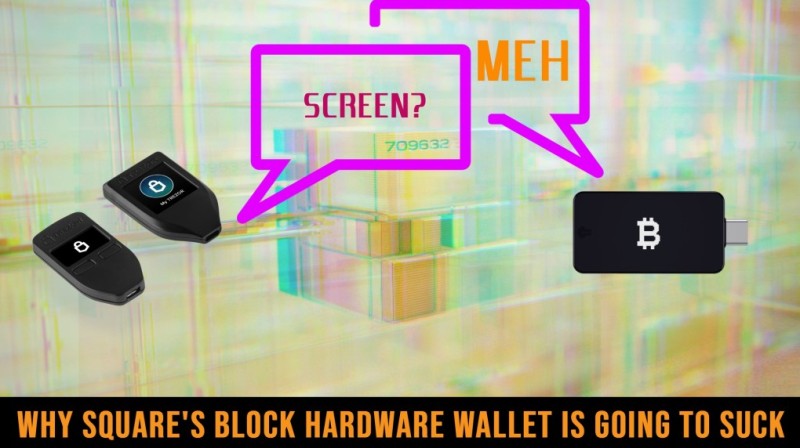
A recurring security argument is that a signing device should let the user independently verify the destination address and amount. A computer or phone may be compromised by malware that replaces an address with the attacker's address. If the hardware wallet signs without displaying the complete transaction on its own trusted screen, the user may approve an unintended payment.
An on-device screen allows the user to compare the recipient shown by the wallet software, the recipient shown by the hardware wallet, the intended payment amount, the transaction fee, and the transaction type. The Trezor design was described as the classic example: the hardware wallet displays the amount and recipient, the user enters a PIN or passphrase, verifies the details, and presses a button to approve.
The BitBox02 was described as connecting directly to an Android phone through USB-C. The Ledger Nano X was described as connecting to an iPhone through Bluetooth. Both designs were presented as allowing mobile use while retaining on-device screens.
Historical Hardware Devices
The BTChip HW1 was launched in January 2013 by Nicolas Bacca. It was designed as a USB device using smartcard-based security, and Bacca was transparent about drawbacks that included its closed-source design. A year later, BTChip, Maison du Bitcoin, and Chronocoin were combined to create the Ledger Nano. The new product retained a closed-source smartcard architecture but improved integrations and user experience. It still did not have a screen.
Libbitcoin developer Eric Voskuil argued that the screen was essential to hardware-wallet security. Nicolas Bacca later suggested that a compromised hardware microcontroller could potentially make a device display arbitrary information or accept fake inputs. The discussion reinforced the value of checking transaction data on an independent screen.
Ledger introduced the Nano S in June 2016. It followed the Trezor-style pattern of a screen, two buttons, and a secure-element chip. The Digital BitBox, designed by Shift Crypto CEO Douglas Bakkum and former Bitcoin Core developer Jonas Schnelli, launched in 2016 with a small form factor, an SD-card backup, and a hidden "honeypot" wallet. It used a mobile application for transaction verification rather than a native screen.
Downloading and Verifying a New Wallet
A wallet can be obtained in several ways. A software wallet can be downloaded from its project's official site. A hardware wallet can be purchased from its manufacturer or an authorized seller. A paper wallet can be generated by a wallet interface and printed. An account-based wallet can be opened through a provider, although the provider may retain control of the keys.
Before using a newly created wallet, the material recommends a small test transaction. A user can first inspect the address on a block explorer, send a small amount, and confirm that the amount arrived. This verifies the basic receive path before a larger transfer. For hardware wallets, the small test should not replace on-device address verification. The computer may show a substituted address even if the intended address appears correctly in a wallet interface.
Paper Wallet Security and Physical Storage
A paper wallet should have more than one physical copy. The copies should not be kept in the same location because a fire, flood, theft, or accidental disposal could destroy both. One copy can serve as the primary wallet, while another can be sealed and stored in a secure place. The owner must record enough information to locate the backup without exposing the private key.
Physical-storage precautions involve several specific protections. Wallets should be laminated to reduce tearing or water damage, although laser-printer toner can behave like plastic and may soften or fuse under heat. A folded wallet should not be laminated, as heat may fuse the folded layers together. Paper should be kept away from water, damp locations, direct fire, and excessive heat. Users should use acid-free paper, preferably with a laser printer or pigment-based inkjet. The wallet must be kept out of direct sunlight, as it can fade. More than one copy should be printed, and copies should be stored in physically separate locations. Private keys should be hidden from view, especially when the paper is held up to light.
A fire-resistant case, metal storage, or a metal coin with a concealed private-key QR code were presented as physical protection options. Metal storage changes the durability of the medium but does not remove the need to control who can access the private key.
Paper Wallet Usability and Recovery
Paper wallets are primarily designed for long-term storage. Spending generally requires importing or "sweeping" the private key into wallet software. That process can expose the key to a general-purpose computer, reducing the paper wallet's zero-internet-exposure advantage.
A paper wallet must also be found when a transaction or recovery is needed. Hiding it from obvious sight is useful, but the owner must retain a secure record of where the backup or primary copy is stored. The 2020 comparison described paper wallets as less user-friendly and less suitable for beginners than hardware wallets. They are more appropriate for a technically capable long-term holder who is willing to perform additional setup and physical-security steps.
The easiest cold wallet to use is a hardware device with a screen, not a printed piece of paper. A best cold wallet keeps private keys offline while still letting you verify transactions on its own display. If you are choosing between paper and hardware, the hardware option removes the fragility and inconvenience that paper introduces.
Generating a Bitcoin Paper Wallet
A January 2020 walkthrough used walletgenerator.net because it supported Bitcoin, Litecoin, and Dogecoin. A separate wallet had to be generated for each selected cryptocurrency. The computer should be free of malware before generating a wallet. The wallet-generation page should either be loaded and then disconnected from the internet, or downloaded from the project's GitHub repository and run offline. If downloaded, the files should be extracted into the same folder.
The user should select "Generate new address" and introduce randomness by moving the mouse or typing into the provided field. Green dots on the screen represent mouse movement and contribute to the random input used during generation. Once enough random input has been supplied, the interface displays a newly generated public/private-key combination. Any private key shown in a public image or guide should be treated as compromised. Examples in a walkthrough must never be funded or scanned.
The "Paper Wallet" tab displays a printable and foldable layout designed to obscure the private key when held up to light. The paper-wallet layout can produce a different key combination from the "Single Wallet" tab, so a user who switches between tabs should not treat the displayed keys as identical. To reduce wireless exposure, the walkthrough advised printing through a USB cable instead of a wireless printer.
Historical Case: Bitcoin Cash Fork
On August 1, 2017, Bitcoin Cash launched. Anyone who held Bitcoin at 12:20 p.m. UTC was expected to have an equivalent amount of BCH attributed to the same Bitcoin private keys. Bitcoin Cash implemented strong replay protection, meaning BTC should not be accidentally spent when the user intended to spend BCH, and vice versa.
The material advised keeping records of the Bitcoin addresses that held Bitcoin at the time of the split. The main danger was exposing the same private keys to unsafe software. A tool used to claim BCH could expose the keys that also controlled valuable BTC. The guide therefore emphasized taking time and understanding the process before moving funds.
Trezor and Ledger had published instructions for accessing BCH and were described as the safest options among the listed hardware wallets. Trezor temporarily removed BCH because of a bug in its Bitcoin Cash backend server. The funds remained secure and the issue was later fixed. The exact interface described in this example is historical, but the offline-generation, local-keystore, physical-print, and test-transfer principles apply to creating a paper wallet for any asset.
Choosing Your Setup
When evaluating a who has the best crypto wallet , the answer depends on what you are protecting and how much technical comfort you have. A hardware device is the preferred environment for larger amounts. Running any software wallet is only as secure as the computer running it. Connecting Sparrow to a user-operated node reduces reliance on a wallet-provider server. Independent address verification on the hardware screen helps protect against a compromised computer replacing a receive address.
The Sparrow and BitBox02 pairing was presented as an example of separate open-source projects working together. Sparrow supplied the interface, transaction construction, fee controls, UTXO selection, and multisig configuration. The BitBox02 supplied the private-key environment and on-device signing. Interoperability can give a user a choice of interfaces without changing the hardware security model. It can also prevent a hardware vendor from being the only provider of wallet software.
A relevant caveat is that a wallet supporting a hardware device may not support every vendor-specific feature. Sparrow's lack of BitBox02 genuine-device attestation and anti-klepto support was one example. Other wallets may prioritize different features, such as coin control, multisig, privacy, full-node support, or coinjoins. The cryptocurrency wallet hardware market has enough variety that users can mix and match interfaces while keeping the same security model.
Final Checks Before Funding
A 2021 cryptocurrency-gifting guide described a Coinbase account as a way to buy bitcoin with money from a credit card or bank account. Once bitcoin is purchased, it can be sent to a receive address generated by a self-custody wallet. The receiving address should be checked character by character when possible and verified on a hardware device when available.
The same explanation encouraged users to practice transferring a small amount between wallets before relying on the process for a larger balance. Transfers can involve an address, a network selection, a delay, or a login step. The user should verify the destination, asset, network, and amount before confirming a transfer. A paper wallet can be created and funded without an account at a centralized provider. Its security then depends on the quality of the generation process, the secrecy of the private key, the durability of the paper, and the quality of the backup.
For anyone starting out, a best crypto hard wallets setup means a hardware device with a screen, a tested recovery seed stored offline, and a small test transaction before any large transfer. The ledger nano x crypto hardware wallet was described as connecting to an iPhone through Bluetooth while retaining an on-device screen for verification. The core principle is the same across devices: you verify the transaction on the hardware screen, not just on the computer.

NEVER REVEAL THE SECRET KEY.
Paper wallets are less user-friendly and less suitable for beginners than hardware wallets.
The main danger was exposing the same private keys to unsafe software.
The wallet landscape has a lot of options, and no single setup fits everyone. A software wallet can work well for smaller amounts and daily use, especially when paired with a user-operated node for privacy. A hardware wallet adds isolation for private keys and is the better choice for larger holdings. A paper wallet can work for long-term storage but demands careful physical security and backups. A custodial exchange account offers convenience but places key custody with the provider. Understanding these tradeoffs is the first step toward choosing a setup that matches your own security needs and habits.

Comments on “How to Get a Bitcoin Wallet That Matches Your Security Needs Well”
No comments yet. Be the first to share your thoughts.