
Looking for a 3commas trading bot review? Here’s how it compares to others
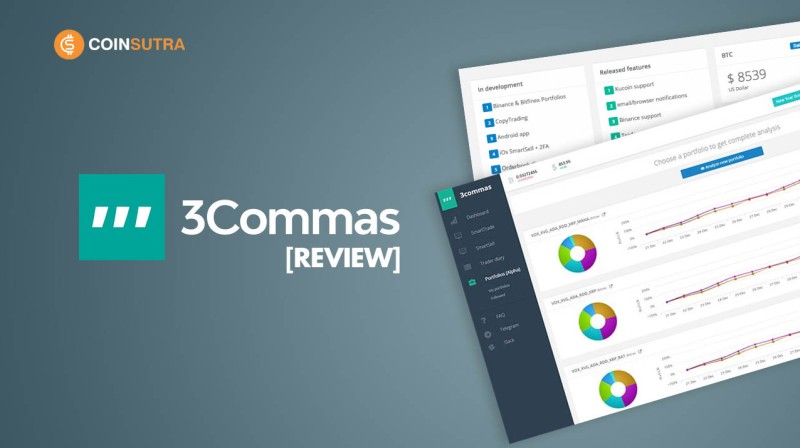
3commas trading bot review: is it the right tool for crypto traders?
You don't need to be a crypto expert to get this. My 3commas trading bot review covers what it does, which exchanges it links to, and how it compares to other bots - so you can decide without the overwhelm. I've spent time reading through the docs and user notes, and I'll walk you through it like one person to another.
3Commas is a crypto trading bot platform that started in 2017 in Tallinn, Estonia. The people who started it include Yuriy Sorokin, Andres Susi, and Mikhail Goryunov, with one source also naming Egor Razumovskii. The main office is in Estonia, and they later had a rep office in Canada and entities in British Virgin Islands and Dubai. The point is, it's been around a while and isn't some flash in the pan.
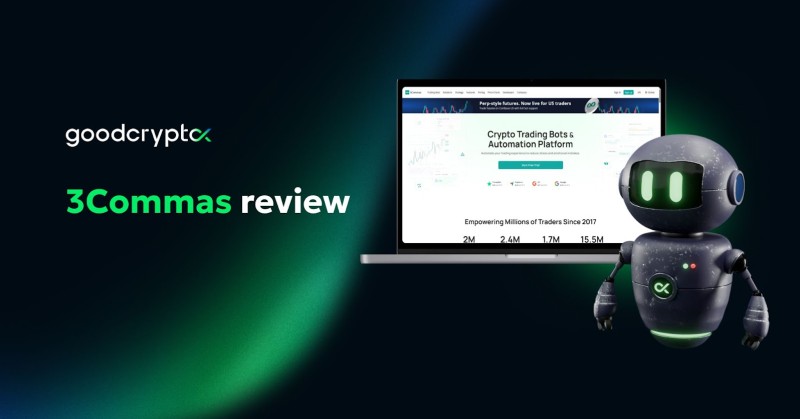
The app lives on 3Commas.io and gives you the full feature set. They also have iOS and Android apps so you can check bots on the go. One big thing: it's non-custodial. That means it links to your exchange with API keys and never holds your coins. Your money stays on the exchange like Binance or Coinbase. If 3Commas goes down, your funds don't vanish with it.
What the 3commas trading bot actually does
The core idea is simple. You connect your exchange account, and the bot from 3commas runs trades for you based on rules. It can buy and sell while you sleep. The platform tries to give one screen to control many exchanges at once. For folks asking which place works best for buying and selling crypto , this is one name that comes up a lot.
They offer a few bot types. DCA bots, Grid bots, Signal bots, Options bots, and Futures bots. On top of that, there's SmartTrade terminal, a scalping terminal, backtesting, and signal services. You don't have to use all of them. Most people start with one and learn from there.
Main bot types on 3Commas
- DCA bot - averages price to help close in profit
- Grid bot - buys and sells inside a set price range
- Signal bot - takes alerts from TradingView to open trades
- Options bot - visual tools for options spreads
- Futures bot - trade with leverage on futures markets
DCA bot: the most used one
The DCA bot is the most popular type on the platform. DCA stands for dollar-cost average. It buys more of a coin as price drops, to lower the average entry. Two kinds exist. Long bot buys and averages down to reach profit. Short bot collects more base coin in a downturn for later sale.
Here's a plain example. You enter at $100 with take profit at 20% ($120). Price goes 90, 80, 70, 90, 110. Your average is $90. New TP is $108, so you can close green without hitting $120. That's the whole trick. It doesn't need the price to fully recover to the first target.
You can set it up easy by copying a known strategy, or hard by building your own with indicators. Existing bots can be changed later. Presets include Classic Trading for spot, Super Power for futures up to x125, and Super Speed for short trades on futures. I like that they give starting points instead of a blank page.
Grid bot and how it trades ranges
The Grid bot automates buys and sells on a grid of levels inside a price range. It fits sideways markets where price bounces around. You can use AI to set the limits, or do it by hand. Say Bitcoin ranges $63k to $70k split into 8 levels. Cross a sell level, bot sells and puts a buy one step lower.
Manual stop loss can sit above or below the grid. It's not magic, but for flat markets it saves you from watching charts all day. Some folks who want the best ways to run a trading bot start here because the logic is easy to see.
Signal bot and outside alerts
The Signal bot takes alerts from TradingView through webhooks. You make the bot, copy the webhook URL into TradingView, and the bot fires on those alerts. You keep control of take profit, stop loss, and size. Good for scalping or a moving grid.
It does need you to trust the signal source. If your alert logic is bad, the bot will happily lose money for you. So test small. This is one spot where a bot that trades crypto is only as smart as the person feeding it signals.
SmartTrade and scalping terminal
SmartTrade is a clean panel for manual orders across your linked exchanges. Tools include SmartTrade, Smart Cover, and basic buy/sell. All support take profit with a trailing stop. That means it stays open after TP hit if price keeps rising, and closes when price falls by your set percent.
The Trading Terminal is like SmartTrade minus the trail. The Scalping terminal adds a widget for fast long/short with keyboard shortcuts. If you like to trade by hand but hate swapping exchange tabs, this helps. It's not a crypto version of etrade exactly, but it sits in that same lane.
Backtesting and paper trading
Backtesting lets you run a strategy on old data from over 10 spot or futures exchanges and 10,000+ pairs. You get metrics like PnL, win rate, max drawdown, and Sharpe ratio. There's also paper trading with fake money to test live. One source says backtesting may mislead, but most docs list it as a paid feature.
I'd use it to learn, not to promise results. Past shape of the market won't repeat clean. Still, it beats clicking blind. And paper trade first. Always. The top bot for crypto trades is the one you understand before real funds touch it.
Exchange support and API links
Sources list different counts, but common exchanges include Binance, OKX, Bybit, KuCoin, Bitfinex, Kraken, Gate.io, Gemini, HTX, Bitstamp, Coinbase, Binance US, Binance TR, and Bitget. Some note margin only on Binance via 3Commas. Most say 20+ exchanges link through API.
That wide link list matters. If you already use a low fee crypto exchange site , you can likely attach it and run bots from one screen. They use fast connect for Binance, OKX, and KuCoin with one click. Just remember: trade-only keys, no withdraw.
Pricing plans and what you pay
Plans vary by source, which is annoying but normal for older docs. One review shows Starter at $20/mo with 5 DCA bots, 2 signal, 2 grid. Pro at $50/mo adds futures and more bots. Expert at $140/mo for up to 1000 active bots and full backtest. No extra trade fee from 3Commas.
Other sources show a free tier with limited bots, Pro near $37 to $49, Expert near $59 to $99, and an Asset Manager plan for client funds. All agree a free trial or free plan exists. Pick by how many bots you'll truly run, not the big number on the box.
Reported plan ranges
- Free or trial - paper trade and few bots
- Starter - around $20 to $29 with small bot limits
- Pro - around $37 to $50 with futures and more bots
- Expert - around $59 to $140 with high bot caps
- Asset Manager - for managing other people's funds
Security and the stuff you must not skip
Hey, don't skip this part. 3Commas is non-custodial. API keys should be trade-only, never withdrawal. They store keys encrypted, offer IP whitelist, and push 2FA. Cloudflare and SSL sit in front. Still, there was a Dec 2022 breach where 10,000 API keys leaked after phishing. FBI looked at it. Users lost around $20M.
Never enable withdrawal on API keys. Use IP whitelist. Review terms.
Later incidents in 2023 tied to weak user-side safety. So the platform wasn't directly hacked in those, but keys got out. The lesson is boring and true: lock the door yourself. A bot that trades like robinhood users want won't help if your key is open to the world.
User ratings and real feel
Trustpilot shows around 4.0 to 4.4 out of 5 from over a thousand reviews. Reddit and YouTube folks say it saves time and cuts stress, and new users can copy bots. Bad notes include bugs during high volatility, missed alerts, and a steep curve for hard bots. Cost vs reliability gets mentioned.
Pros often cited: 24/7 automation, easy start with pre-built bots, copy marketplace, strong backtest, fast chat, multi-exchange control. Cons: outages at peak times, tuning needed, subscription cost, thin free tier, old security scars. I think that's a fair spread for any solid spot to trade crypto .
Mobile apps and daily use
The iOS and Android apps show portfolio, PnL, and let you start or stop bots. Some SmartTrade features are there but not all. It's good for a quick look when you're away from the desk. Don't expect to build a complex DCA bot from your phone with ease.
For most, phone use is check and pause, not full build. That's fine. The heavy lifting stays on the web app. If you want to track an okx platform walkthrough while on bus, the app shows your OKX bots from 3Commas in one view.
How it compares to other bots
Cryptohopper is close with a signal market and similar price. Bitsgap, also from 2017, shows a clean security record and AI help, with plans from $21/mo annual. Pionex is an exchange with free built-in bots but you deposit there, so custody risk shifts to them. Coinrule scores higher on security with free long-term account.
TradersPost covers stocks and options too, not just crypto. Finestel is more for asset managers. goodcryptoX is cheaper starter at $12.99 with DeFi DCA. Stoic links to Binance and takes 5% fee. Each has trade-offs. The right bot plan depends on your exchange and how hands-on you want to be.
Alternatives worth a look
- Cryptohopper - similar bots and signal market
- Bitsgap - strong security record, AI assistant
- Pionex - free bots but you deposit on exchange
- Coinrule - free account, higher security rating
- TradersPost - stocks and crypto, paper trial

AI bots and newer tools
The AI Grid bot shifts the grid as volatility moves, to catch small profits in flat markets. QuantPilot lets you write a strategy in plain English, like "buy BTC when RSI under 30 and sell when RSI over 60", and it builds and tests it. An AI Assistant was added to answer questions in app.
There's also a Signal Marketplace where you pay $10 to $30 a month for expert signals. Copy trading or portfolio follow lets you mirror others. Some sources say true copy trading lacks, others list it as a pro feature. Read the plan fine print before you pay for it.
One user config for uptrend markets
A documented DCA setup for strong uptrends uses a single pair on futures or spot. Base order and safety orders stay near 1.5x or 1x base, not 2x, to cut reserve need. Start with limit in normal trend, market in strong trend. Leverage kept at 2x to 3x, not 15x, to avoid quick liquidation.
Take profit set at 1.8% with trailing off. Stop loss by hand at low leverage; at 3x plus, set between liquidation and safety cover. Safety orders max deviation 6% to 10%, max trades 8 to 9, step scale near 1.35. Test showed progressive bot at 0.21% deviation did 60% return over 15 days, linear at 1% did 50%.
At 3x leverage, liquidation sits 33% below average buy; at 2x, 50% below.
Withdrawals and where your money sits
You never store or pull money from 3Commas. Profits stay on the linked exchange. To cash out, you withdraw from the exchange itself. That's the nice part of non-custodial: the bot company can't freeze your coins because they don't hold them.
Just keep the API key trade-only. If you ever flip withdrawal on by mistake, you've given the bot room to move your funds. Don't. The crypto trading bot only needs to trade, not to send.
My take on who it fits
If you trade on two or more exchanges and want one screen, 3Commas saves real time. Beginners can copy a bot and learn. Advanced users get DCA tuning, grid, signals, and backtest. The weak spots are cost, outage risk at peak load, and the old API leak scar.
I wouldn't call it perfect. But for a bot that handles crypto well , it covers the bases. Try the free tier, paper trade, then scale up only when you trust the setup. That's the safe path, and it keeps your coins on your exchange where they belong.
Quick notes before you sign up
Read the plan you pick, since names and limits shift between sources. Use trade-only API keys with IP whitelist. Start with one DCA or grid bot on paper. Watch for outages when the market goes wild, that's when bugs show up most.
And if you're coming from stocks, note 3Commas is crypto and futures only. A robinhood style trade bot this is not. For crypto alone, it's a real option worth a look in your review of 3commas bots process.
Profits remain on the linked exchange. Withdraw from there, not from 3Commas.



Comments on “Looking for a 3commas trading bot review? Here’s how it compares to others”
No comments yet. Be the first to share your thoughts.